TINY: a 367,000-weight neural network with a robot voice, on the N900
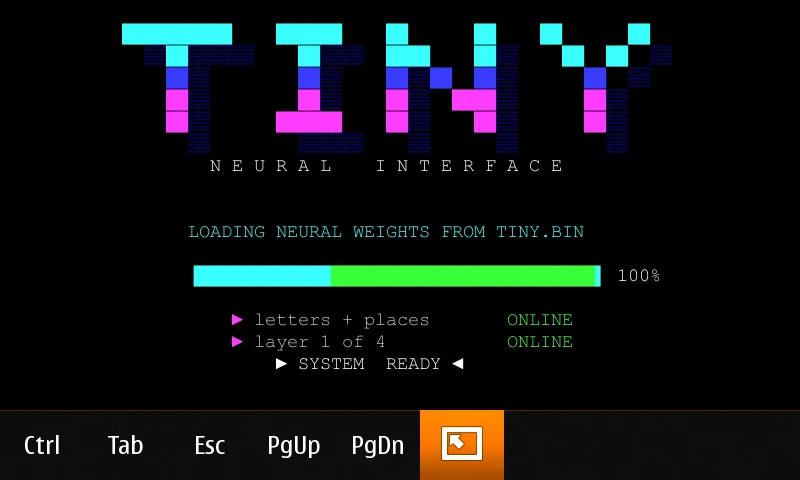
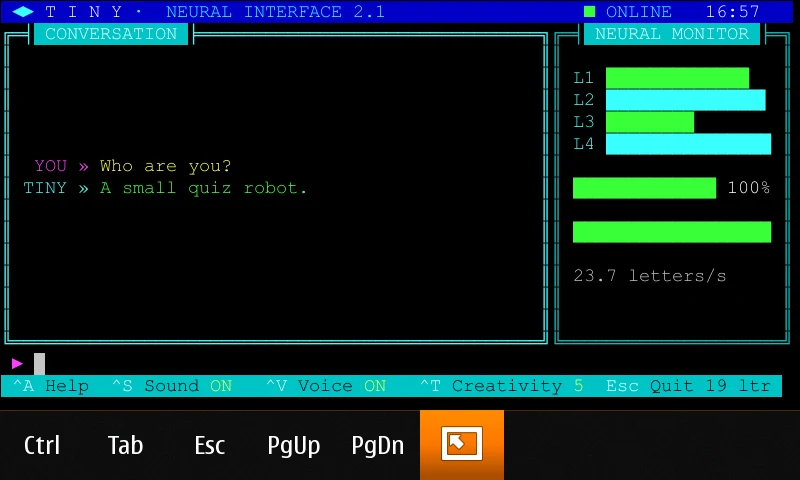
TINY 2.1 is a tiny question-answering neural network, written for DOS and Turbo C 2.0. It runs on a 486 or a Pentium and fits on a floppy disk. Its author says it was “written by Fable 5.2 and trained by Opus 5.5”. It has 367,000 weights (4 layers, 96 wide), reads and writes letter by letter, and knows about 3,500 facts: countries and their capitals, the chemical elements, animals, simple sums, a few words in other languages. Outside those facts it makes things up with confidence, so it is a toy and not an oracle. It is a delightful toy, though: it has a full-screen neon interface with a live “neural monitor” and a robot voice that “speaks” every answer through the PC speaker.
I wondered whether a phone from 2009 could run it. It can, and the full interface too.
How it runs
- The network is plain ANSI C and needs nothing but a math library. It compiled for the phone without a change; an answer takes about 1 second (5 to 17 letters per second, depending on the answer).
- The interface was written with Turbo C’s
conio(positions, colours, keys, the PC speaker). I wrote a small layer,conio_ncurses, that provides the same functions on top of ncurses, so the original screen code stays almost as the author wrote it. - The screen follows the size of the terminal. The original is 80 x 25 characters, but the terminal of the N900 has 72 x 16 (72 x 18 full screen) with the normal font. The layout is now computed from the real size: the neural monitor becomes more compact, the question gets a single line, the title and the status bar get shorter, and the boot screen is centred. It works from 60 x 14 up, and the original 80 x 25 looks as before.
- Colours: the terminal needs 256 colours (
TERM=xterm-256color) for the “neon” palette; the program asks the terminal for its own colours, as the DOS version did with the VGA palette.
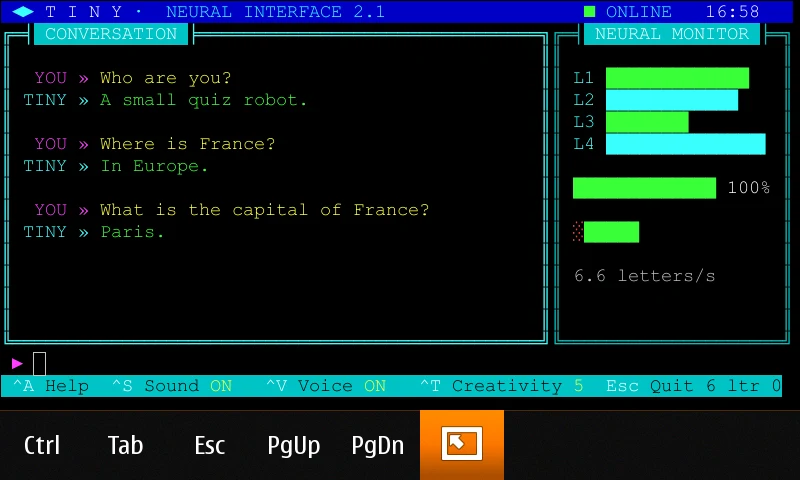
The neural monitor shows the network working: the activity of each layer for every letter, the confidence in the letter it just chose (green sure, amber unsure, red guessing), the last eighteen letters and the speed.
The voice
The robot voice is not speech: every letter becomes a small sound with the rhythm of speech. Vowels buzz between two pitches, s, f and h hiss, p, t and k click, m and n hum. In DOS the program
drives the PC speaker. A phone has none, so the tones are synthesised (a square wave, 16 kHz) and played by paplay. It took me longer than the rest of the port, and I learned two things about the N900:
- The sound policy of Maemo limits the volume of programs it does not know. A stream from an unknown program goes to a group “othermedia” and its volume is cut to about 30 % (-30 dB), whatever the volume of the phone is. Only a few programs are on its list (games like Mahjong, media players).
The result is a robot that clicks twice and is silent. The way out: a stream that asks for its volume itself when it connects (
paplaydoes) keeps it, so TINY pipes the sound topaplay. /tmpis only 1 MB (it is a RAM disk, set in/etc/init.d/rcS). I filled it with a test file, and the sound system broke in confusing ways until I found it.
The voice sits a quarter of a second behind the picture (the player buffers), and I made it 18 % slower than in DOS so that the words can be followed. The first listener’s verdict: it sounds like the cat of a game who jumps through a cyberpunk town full of robots.
Keys and volume
A phone has no function keys, so the keys of the DOS version are also on Ctrl:
| Key | What it does |
|---|---|
| Enter | ask the question |
| PgUp / PgDn | volume up / down (ten levels; the buttons in the toolbar of the terminal). The level is remembered in ~/.tiny-volume. The default is quiet |
| Ctrl-A | help (F1) |
| Ctrl-S | sound on / off (F2) |
| Ctrl-V | robot voice on / off (F3) |
| Ctrl-T | creativity 0 to 9 (F4); 0 is always the surest answer |
| Up arrow | the last question |
| Esc | quit |
The volume of TINY is its own, because the volume buttons of the phone do not reach it (see above). Start low: the robot is loud at full volume.
Install it
TINY is in the repository of this project: the package page has the description and an install file. After adding the repository, on the phone as root:
apt-get install tiny
The package brings paplay (pulseaudio-utils) for the voice and the terminfo entry for 256 colours, so nothing else is needed. TINY appears in the menu as TINY, or type tiny in a terminal. The manual is man tiny (after the package
mandoc, see the manual pages). It takes 0.5 MB.
Where it is
- The licence: the author added the MIT licence to the original after I asked, which made the package possible. The network was trained partly on data under other licences (the languages and neighbours of countries come from mledoze/countries under ODbL, the chemical elements from Periodic-Table-JSON under CC BY-SA 3.0), and the package carries that notice.
- The port: the fork n900-resurrection/Tiny-2.1, branch
n900(the original is WollyMonjac/Tiny-2.1, which also has the whole training kit if you want to teach it more facts). Build it withmakewhere ncurses with wide characters is available;README.n900.mdthere lists the options. - The author’s rules of the game: the answers are only as good as what the network was taught. It is a quiz robot, not a language model.
If you have an N900 and try it, I would be glad to hear how the voice sounds on yours.